
If you’ve ever looked at your bank statement and wondered where your money disappeared, subscriptions might be the culprit.
Most of us don’t know how to save money on subscriptions and don’t think twice about paying $5 here, $10 there, or $15 for another streaming service. The problem isn’t one subscription. It’s the collection of recurring payments quietly leaving our accounts every month.
A music app. A streaming service. Cloud storage. A fitness membership. A productivity tool. Before long, you’re paying hundreds of dollars every year for services you barely use.
I’ve been there myself.
At one point, I was paying for multiple subscriptions that I had completely forgotten about. Some were free trials that rolled into paid plans. Others were services I convinced myself I’d use “someday.”
When I finally conducted a proper subscription audit, I discovered I was wasting money every single month on things that added little or no value to my life.
The good news?
Learning how to save money on subscriptions doesn’t mean giving up everything you enjoy. In many cases, you can keep your favorite services while paying significantly less.
In this guide, I’ll show you practical strategies that can help you:
- Identify hidden recurring expenses
- Cancel subscriptions you no longer need
- Lower streaming costs without sacrificing entertainment
- Take advantage of cheaper plans and retention discounts
- Build a system that prevents subscription creep from returning
Let’s start how to save money on subscriptions with the fastest wins.
Phase 1: The Fast Cuts How to Save Money on Subscriptions (Save Money This Week)
These strategies can start saving you money immediately. You don’t need special tools, complicated budgeting systems, or months of planning.
Most people can complete these steps in less than an hour and potentially cut dozens—or even hundreds—of dollars from their annual subscription spending.
Start With a Subscription Audit
One of the biggest reasons subscriptions become expensive is simple. Most people don’t know exactly how to save money on subscriptions and what they’re paying for.
Subscription companies love autopay because it removes friction. Once your card is on file, payments continue automatically, often without you noticing.
That’s why a subscription audit should be your first step.
How to Do a Subscription Audit (Quick Summary)
If you want to stop the financial leak immediately, here is how to perform a quick subscription audit:
- Review Statements: Scan your bank and credit card statements from the last 3 months.
- Check Mobile App Stores: Audit your active subscriptions inside Apple ID (iPhone) and Google Play (Android) settings.
- Spot the Waste: Identify duplicate cloud storage, unused streaming apps, or forgotten free trials.
- Log Your Costs: Track monthly prices and renewal dates in a simple spreadsheet or tracking app.
- Cancel & Repeat: Cut what you don’t use immediately and review your tracker every single month.
Following this simple process helps eliminate subscription creep and stops unnecessary digital wallet drain instantly
How to Find Every Subscription You’re Paying For
Start by reviewing the last three months of your:
- Bank statements
- Credit card statements
- PayPal transactions
- Apple App Store purchases
- Google Play purchases
Look specifically for recurring charges.
Common examples include:
- Netflix
- Spotify
- Disney+
- YouTube Premium
- Dropbox
- Microsoft 365
- Adobe Creative Cloud
- VPN services
- Fitness apps
- Meal-planning services
- Cloud storage subscriptions
I recommend creating a simple spreadsheet for how to save money on subscriptions with the following columns:
| Subscription | Monthly Cost | Last Used | Essential? |
|---|---|---|---|
| Netflix | $17.99 | Last Week | Yes |
| Dropbox | $11.99 | 6 Months Ago | No |
| Spotify | $10.99 | Daily | Yes |
Seeing everything in one place is often enough to reveal obvious cuts.
How to Check Subscriptions on iPhone and iPad
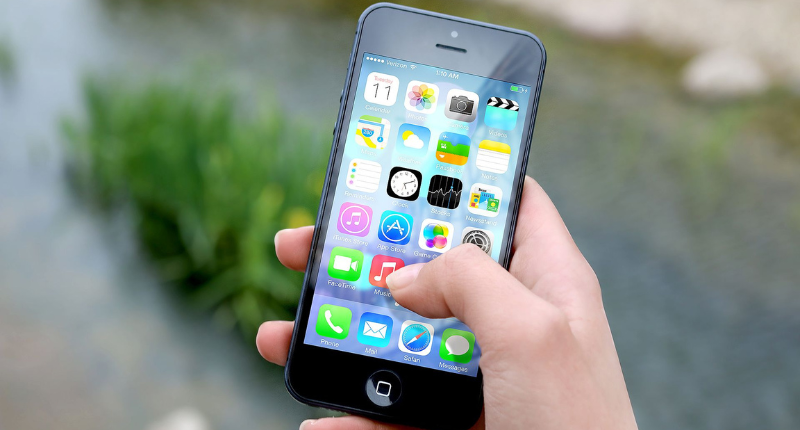
Many recurring payments never appear obvious because Apple manages them through your Apple ID account.
Step 1: Open Settings
Tap the Settings app on your iPhone or iPad.
Step 2: Tap Your Apple ID
Select your profile name at the top of the screen.
Step 3: Open Subscriptions
Tap Subscriptions.
Step 4: Review Every Active Service
Look for:
- App subscriptions
- Premium mobile games
- Cloud storage upgrades
- Streaming services
- Free trials waiting to renew
Step 5: Cancel Anything You No Longer Use
Tap the subscription and select Cancel Subscription if it’s no longer providing value.
For official device troubleshooting or step by step account help, you can check Apple’s subscription support page for updated configurations.
How to Check Subscriptions on Android
Android users can uncover hidden recurring charges directly through Google Play.
Step 1: Open Google Play Store
Launch the Google Play app.
Step 2: Tap Your Profile Icon
Located in the upper-right corner.
Step 3: Select Payments & Subscriptions
Choose Payments & Subscriptions from the menu.
Step 4: Tap Subscriptions
You’ll see:
- Active subscriptions
- Paused subscriptions
- Expired subscriptions
Step 5: Review Renewal Dates
Pay close attention to subscriptions that automatically renew each month.
Many users discover forgotten apps they haven’t opened in months.
If you encounter errors or billing discrepancies on your Android device, refer directly to Google Play subscription management for official guidance.
The Forgotten Subscription Problem
Most wasted subscription spending comes from what I call subscription creep.
It’s the slow accumulation of recurring payments that quietly blend into your monthly budget until they become a serious digital wallet drain.
One streaming service becomes three.
One cloud storage plan becomes two.
A free trial becomes a paid subscription that survives for years.
The result is a constant monthly cash bleed that most people don’t notice until they perform a proper subscription audit.
Create a Simple Subscription Tracker
Once you’ve identified every subscription, create a tracking system.
You can use:
- Google Sheets
- Excel
- Notion
- A budgeting app
Track:
- Subscription name
- Monthly cost
- Renewal date
- Payment method
- Usage frequency
I personally review my tracker once every month.
That five-minute habit has prevented countless unnecessary renewals.
Cancel Anything You Haven’t Used in the Last 30 Days
After your audit, it’s time for the easiest savings opportunity.
Cancel what you’re not using.
This sounds obvious, but many people keep paying for subscriptions based on intentions rather than actual behavior because they don’t know how to save money on subscriptions.
The 30-Day Usage Rule
My rule is simple:
If I haven’t used a subscription in the last 30 days, it immediately goes under review.
For entertainment how to save money on subscriptions, this rule is especially effective.
If you haven’t opened a streaming service in a month, chances are you’re not getting enough value to justify the cost.
The same applies to:
- Fitness apps
- Language learning apps
- Productivity tools
- Digital magazines
- Software subscriptions
Use behavior not hope to guide your decision.
Questions I Ask Before Keeping a Subscription
Before renewing any service, I ask myself three questions:
1. Did I actually use this this month?
Not “Did I plan to use it?”
Did I use it?
2. Would I buy it again today?
If the answer is no, why keep paying for it?
3. Is there a free alternative available?
Many paid services now have free competitors that offer similar functionality.
A surprising number of subscriptions fail this test.
Essential vs Nice to Have Subscriptions
One of the smartest ways to know how to save money on subscriptions and costs is categorizing every service.
Essential Subscriptions
These provide real value or support important needs.
Examples:
- Cloud storage for work
- Security software
- Business tools
- Educational platforms
Nice to Have Subscriptions
These are enjoyable but optional.
Examples:
- Extra streaming services
- Premium gaming memberships
- Specialty hobby apps
- Subscription boxes
When budgets get tight, nice to have subscriptions should be reviewed first.
Switch to Cheaper Ad-Supported Plans
Many people assume canceling is the only way to save money.
It isn’t.
One of the fastest ways to reduce subscription spending is simply downgrading your plan.
Why Ad-Supported Plans Are Becoming Popular
Over the last few years, streaming platforms have introduced cheaper plans that include advertisements.
At first, many users resisted.
Today, more people are embracing ad-supported plans because the savings are substantial.
Think about it this way:
Would you rather watch a few commercials each month or spend an extra $100 to $200 every year?
For many households, the answer is obvious.
Platforms That Offer Cheaper Plans
Many major services now provide lower-cost options.
Examples include:
- Netflix
- Disney+
- Hulu
- Peacock
- Paramount+
- Spotify
While exact pricing changes frequently, ad-supported plans often cost 30% to 50% less than premium ad-free versions.
If you’re trying to find that how to save money on subscriptions on streaming services, this is one of the easiest wins available.
How Much You Can Actually Save Per Year
Let’s use realistic 2026 pricing examples.
| Service | Ad-Supported Plan | Standard Ad-Free Plan | Potential Annual Savings |
|---|---|---|---|
| Netflix | $7.99/mo | $17.99/mo | $120 |
| Disney+ | $9.99/mo | $15.99/mo | $72 |
| Hulu | $9.99/mo | $18.99/mo | $108 |
Now imagine you’re subscribed to all three ad-free plans.
Switching to lower-cost tiers could save approximately:
$300 per year.
That’s enough to:
- Build an emergency fund faster
- Pay off high-interest debt
- Cover several utility bills
- Invest toward long-term financial goals
For many households, watching a few advertisements is a small trade-off for eliminating hundreds of dollars in annual subscription spending. If you are looking for more ways to boost your household income alongside cutting costs, check out my guide on the best side hustles for stay at home moms to maximize your monthly cash flow.
Phase 2: Subscription Hacker Strategies
Most people stop after canceling a few subscriptions.
That’s a good start.
But if you really want to master how to save money on subscriptions, you need to move beyond basic budgeting and learn the strategies that highly frugal consumers use to reduce recurring expenses without sacrificing convenience.
These are the tactics I personally love because they focus on maximizing value rather than simply cutting everything.
Use the Subscription Rotation Method
What Is Subscription Cycling?
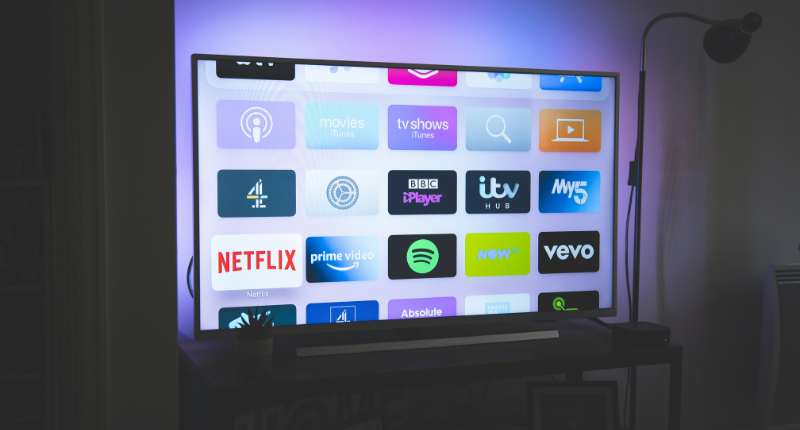
Subscription cycling also called subscription rotation is one of the smartest ways to reduce streaming costs.
Instead of paying for five streaming services simultaneously, you subscribe to only one or two at a time.
You watch everything you want.
Then you cancel and move to another platform.
The reality is simple:
Most people can only watch one show at a time.
Yet many households pay for:
- Netflix
- Disney+
- Max
- Peacock
- Paramount+
- Hulu
All in the same month.
That’s often over $60 to $100 monthly for services that aren’t being fully used.
Subscription cycling eliminates this waste.
How I Rotate Streaming Services Month by Month
Here’s a simple example.
| Month | Service | Goal |
|---|---|---|
| January | Netflix | Watch new releases and trending series |
| February | Disney+ | Marvel, Star Wars, and family content |
| March | Max | Movies and premium originals |
| April | Hulu | Catch up on current TV shows |
| May | Peacock | Sports and exclusive releases |
When I finish watching that how to save money on subscriptions and what interests me, I cancel immediately and move on.
This approach dramatically reduces recurring entertainment expenses without reducing entertainment itself.
Why Reddit Users Love This Strategy
Reddit communities like r/Frugal and r/PersonalFinance constantly recommend subscription cycling for one reason:
It works.
Instead of paying for every platform year-round, users binge watch desired content during one billing cycle and then move on.
Benefits include:
- Lower monthly bills
- Reduced subscription creep
- Less decision fatigue
- Better value per dollar spent
Many users report cutting streaming costs by 50% or more simply by rotating subscriptions.
The Immediate Cancellation Hack Most People Ignore
One of the most powerful free trial strategies sounds counterintuitive.
I cancel immediately after subscribing.
Why I Cancel Free Trials on Day One
When I sign up for a:
- 7-day free trial
- 14-day free trial
- 30-day free trial
- $1 promotional offer
I often click Cancel within minutes.
Why?
Because most services continue providing access until the trial officially expires.
That means:
- I keep the full trial period
- I eliminate the risk of forgetting
- I avoid surprise charges
Think of it as setting up an automatic safety net.
Instead of relying on memory, I remove the risk immediately.
How Most Services Still Honor the Full Trial Period
Many companies operate on an “access until expiration” model.
You cancel today.
You keep access until the trial period ends.
This approach is especially useful for:
- Streaming services
- Audiobook platforms
- Software trials
- Premium productivity tools
Always verify the provider’s cancellation policy, but in many cases you’ll retain full access.
Avoiding Costly Auto-Renewals
Auto renewals are one of the biggest causes of subscription waste.
The Immediate Cancellation Hack prevents:
- Forgotten trials
- Surprise charges
- Monthly cash bleed
- Unwanted annual renewals
It’s one of the easiest habits I recommend building immediately.
Trigger Retention Discounts Before You Cancel
What Happens When You Click Cancel
Here’s something many companies don’t want customers to know.
Sometimes the best discounts only appear when you’re trying to leave.
This is called a retention offer.
When you begin the cancellation process, companies may present:
- Temporary discounts
- Reduced monthly pricing
- Free bonus months
- Paused memberships
- Exclusive promotional offers
This is why I never rush through the cancellation screen.
I always look for retention incentives first.
The Fake Cancellation Strategy
The process is simple:
- Log into your account.
- Navigate to cancellation.
- Continue through cancellation prompts.
- Review every offer presented.
- Decide whether the discount is worth accepting.
You may be surprised by how often companies negotiate.
Services Known for Offering Retention Deals
Common examples include:
- The New York Times
- Adobe Creative Cloud
- Peacock
- SiriusXM
- BritBox
- Paramount+
- Internet providers
- Mobile carriers
I’ve seen users reduce subscription costs by 30% to 70% simply by reaching the final cancellation screen.
Many businesses would rather lower your bill than lose you entirely.
Build a Gift Card Wall Against Subscription Creep
What the Gift Card Wall Strategy Is
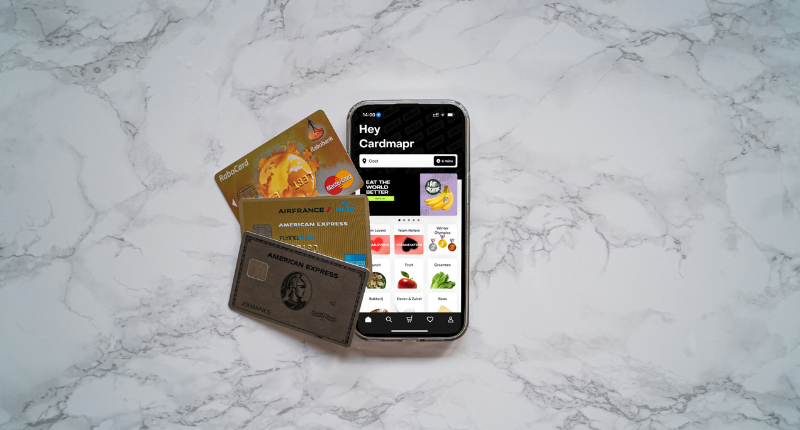
The Gift Card Wall is one of the smartest anti-subscription-creep systems I’ve encountered.
Instead of placing a credit card on file, you pay using prepaid gift cards a simple strategy if you’re wondering how to save money on subscriptions.
When the balance runs out:
- The subscription stops.
- No automatic renewal.
- No surprise charges.
- No digital wallet drain.
The service pauses naturally until you decide to fund it again.
This forces a conscious purchasing decision every single time.
Why Prepaid Access Changes Spending Behavior
Credit cards make subscriptions invisible.
Gift cards make subscriptions intentional.
Every renewal requires a decision:
“Do I still want this service?”
That single question prevents countless unnecessary renewals.
Best Subscriptions for This Method
The Gift Card Wall works particularly well for:
- Netflix
- Spotify
- Apple Music
- Xbox Game Pass
- PlayStation Plus
- Nintendo Switch Online
- Streaming platforms
It’s less effective for business software but excellent for entertainment subscriptions.
Use Family Plans and Shared Memberships Legally
Family plans can dramatically reduce per-person subscription costs.
If you’re looking for how to save money on subscriptions, using a family plan (when allowed) is one of the most effective strategies.
The key word is legally.
Always follow the provider’s terms of service.
Services That Commonly Offer Family Plans
Examples include:
- Spotify Family
- Apple One Family
- YouTube Premium Family
- Microsoft 365 Family
- Nintendo Switch Online Family
Why Family Plans Often Beat Individual Memberships
Let’s compare.
| Plan Type | Monthly Cost |
|---|---|
| Spotify Individual | $11.99 |
| Spotify Family | $19.99 |
A household of four effectively pays about $5 per person instead of nearly $12.
That’s a massive difference.
Important Rules Before Sharing
Before joining a family plan:
- Review household requirements
- Check address restrictions
- Read account-sharing policies
- Confirm user limits
The goal is saving money responsibly while staying within provider guidelines.
Used correctly, family plans remain one of the most effective ways to reduce recurring subscription expenses without giving up premium features.
Phase 3: Replace Paid Subscriptions With Free Alternatives
At this point, we’ve cut obvious waste and reduced subscription creep.
Now it’s time for something even better.
Instead of simply paying less, let’s see if we can stop paying altogether.
If you’re learning how to save money on subscriptions, replacing paid services with free alternatives is one of the most effective strategies.
One of the biggest mistakes I see people make is assuming every subscription has to be replaced with another paid service.
In reality, many of the things we pay for already exist for free or are included with products and memberships we already have.
This phase focuses on replacing recurring expenses with smarter alternatives.
Use Your Local Library Instead of Paying for More Content

When most people hear the word “library,” they think of books.
I used to think the same thing.
Then I discovered that modern libraries offer digital services that can replace multiple monthly subscriptions.
In many cases, a library card can save you hundreds of dollars per year.
Free Audiobooks Through Libby
If you’re paying for Audible primarily to listen to audiobooks, start with Libby.
Libby connects directly to participating public libraries and allows you to borrow:
- Audiobooks
- E-books
- Magazines
- Digital publications
All for free.
I’ve found many bestselling books available through Libby that would otherwise cost $15–$30 each.
The biggest downside?
Popular titles sometimes have waitlists.
But if you’re patient, the savings can be substantial.
Free Movies and TV With Hoopla and Kanopy
Most people have never heard of Hoopla or Kanopy.
That’s a shame because they’re among the best subscription replacements available.
Hoopla
Depending on your library system, Hoopla may provide:
- Movies
- TV shows
- Audiobooks
- Music
- Comics
Everything can be streamed directly through the app.
Kanopy
Kanopy specializes in:
- Award-winning films
- Documentaries
- Educational content
- Independent cinema
Many universities and public libraries provide free access.
For movie lovers, Kanopy can replace part of a streaming budget entirely.
The Non-Resident Library Card Strategy
This is one of the smartest legal money-saving strategies I’ve discovered from budgeting communities.
If you’re researching how to save money on subscriptions, this overlooked library trick can reduce your entertainment costs for a fraction of the price.
Here’s the problem:
- Many local libraries have long wait times for popular books.
- Some users solve this by purchasing non-resident library memberships.
- Certain U.S. library systems allow people who live outside their service area to buy access for an annual fee.
Examples frequently discussed in personal finance communities include:
- Broward County Library
- Fairfax County Public Library
- Other major metropolitan library systems
Instead of paying:
- Audible
- Kindle Unlimited
- Magazine subscriptions
You may pay a modest annual library fee and gain access to:
- Larger digital catalogs
- Faster audiobook availability
- More e-books
- More streaming content
The key benefit isn’t just saving money.
It’s replacing multiple subscriptions with one low-cost public resource.
Before purchasing a non-resident card, always verify current eligibility requirements and fees directly with the library.
Find Hidden Subscription Perks You Already Pay For
One of the easiest way how to save money on subscriptions is finding benefits that are already included elsewhere.
I’ve seen people pay for Netflix while their mobile carrier provides it.
Others pay for Walmart+ without realizing their credit card reimburses the entire cost.
A few minutes of research can uncover serious savings.
Mobile Carrier Benefits
Many carriers bundle entertainment subscriptions into their plans.
Depending on your provider, benefits may include:
- Netflix
- Apple TV+
- Hulu
- Disney+
- Paramount+
- MLB.TV
- Streaming credits
These offers change frequently, so it’s worth checking your carrier dashboard every few months.
I always recommend reviewing your account benefits before purchasing a streaming service separately.
You might already have access.
Credit Card Membership Benefits
Premium credit cards often include subscription perks that go unused.
Examples may include:
- Walmart+ membership credits
- Streaming service credits
- Digital entertainment credits
- Ride-sharing memberships
- Food delivery subscriptions
This is particularly common with premium rewards cards.
If you’re paying an annual fee for a credit card, make sure you’re using every benefit available.
Otherwise, you’re leaving money on the table.
Bank Account Rewards and Student/Employer Discounts
Many people overlook discounts attached to:
- Bank accounts
- Universities
- Professional organizations
- Employers
Examples include:
- Free software subscriptions
- Discounted streaming plans
- Free cloud storage
- Educational platform access
Students can often access discounted pricing for:
- Spotify
- YouTube Premium
- Adobe products
- Microsoft 365
Similarly, many employers negotiate corporate discounts that employees never claim.
Before paying full price, check whether you’re already eligible for a discount.
Check If You Qualify for Discounted Membership Programs
Some memberships generate so much value that they effectively pay for themselves.
AARP Membership Savings
This is one of the biggest hidden gems in personal finance circles.
If you’re exploring how to save money on subscriptions, AARP membership is an often-overlooked way to unlock valuable discounts for a low annual fee.
Many people assume AARP is only for retirees.
That’s not entirely true.
Anyone can generally join AARP and gain access to member discounts.
Membership often costs roughly $12–$16 per year depending on promotions.
Potential savings can include:
- Wireless phone discounts
- Travel discounts
- Insurance discounts
- Retail discounts
- Walmart+ promotions
Some users join solely for one discount that saves more than the membership cost itself.
That’s a positive return on investment.
AAA Membership Discounts
Most people associate AAA with roadside assistance.
But membership benefits often go much further.
Discount categories may include:
- Hotels
- Travel bookings
- Theme parks
- Retail stores
- Car rentals
- Entertainment services
If you already maintain a AAA membership, review the discount directory.
You may discover subscription savings you’ve been missing.
Government Assistance Discounts
This is one of the most underutilized money-saving opportunities available.
Certain programs provide substantial discounts for qualifying households.
Examples frequently include:
Amazon Prime Discount
Eligible EBT or Medicaid recipients may qualify for Prime at approximately half the standard monthly cost.
Walmart+ Assist Program
Qualified households may receive Walmart+ at significantly reduced pricing.
Potential benefits include:
- Free delivery
- Fuel discounts
- Streaming perks
- Shopping rewards
If you’re eligible, these programs can reduce recurring expenses while preserving access to valuable services.
There’s no reason to pay full price if a verified discount exists.
Phase 4: Optimize the Subscriptions You Keep
By now, you’ve:
- Audited your subscriptions
- Eliminated waste
- Found free alternatives
- Uncovered hidden discounts
If you’ve been learning how to save money on subscriptions, you’ve already completed the biggest steps.
The remaining subscriptions are the ones you genuinely use.
Now the goal shifts from cancellation to optimization.
Let’s make sure every dollar spent delivers maximum value.
Use Subscribe-and-Save Programs the Right Way
Subscription delivery programs can either save money or quietly increase spending.
The difference comes down to how you use them and how to save money on subscriptions.
Best Products for Subscription Discounts
Subscribe and save programs work best for products you consistently use.
Examples include:
- Pet food
- Cat litter
- Diapers
- Vitamins
- Protein powder
- Laundry detergent
- Toilet paper
- Paper towels
- Household cleaners
These are recurring purchases that most households will need regardless.
When discounts are legitimate, subscribe and save programs can reduce annual spending.
Adjust Delivery Frequency to Prevent Waste
One of the biggest mistakes people make during how to save money on subscriptions is accepting the default delivery schedule.
A product that lasts three months shouldn’t arrive every month.
Review:
- Consumption habits
- Inventory levels
- Household usage
Then adjust delivery frequency accordingly.
The goal is avoiding both stockouts and overstocking.
Too many deliveries can turn a discount into unnecessary spending.
When Subscribe-and-Save Stops Saving Money
This is where many savvy shoppers become strategic.
Some retailers offer:
- 10% off first delivery
- 15% off first order
- New subscriber bonuses
In certain cases, people subscribe, receive the discounted shipment, and then cancel immediately afterward.
The result:
- Discount secured
- No unwanted future deliveries
- No recurring commitment
That said, always compare prices.
A subscription discount isn’t a deal if another retailer offers a lower everyday price.
Never let the word “save” replace actual price comparison.
Pay Annually Only When It Makes Sense
You’ll often hear the advice:
“Always pay annually.”
I disagree.
If you’re figuring out how to save money on subscriptions, the best billing option depends on how often you actually use the service.
Sometimes annual billing saves money.
Sometimes it locks you into a service you barely use.
I only pay annually when all three conditions are true:
- I use the service consistently.
- I expect to keep it for at least a year.
- The annual discount is meaningful.
For example:
| Billing Type | Cost |
|---|---|
| Monthly | $15/month ($180/year) |
| Annual | $120/year |
That’s a genuine savings opportunity.
But if I might cancel after four months, annual billing becomes more expensive.
Always calculate your actual usage before committing.
Also watch for:
- Automatic renewals
- Price increases
- Feature changes
- Reduced cancellation flexibility
The cheapest subscription isn’t always the annual one.
It’s the one you actually use.
Best Subscription Tracking Apps to Save Money
Even the best how to save money on subscriptions strategy fails if you stop paying attention.
That’s where subscription tracking apps become useful.
Rocket Money
Rocket Money automatically scans linked accounts and identifies recurring charges.
Features include:
- Subscription tracking
- Spending alerts
- Bill negotiation tools
- Cancellation assistance
It’s one of the most popular options for people who want automation.
Bobby
Bobby takes a simpler approach.
Instead of linking financial accounts, you manually enter subscriptions.
Benefits include:
- Strong privacy
- Clean interface
- Easy tracking
- No bank account connections required
If privacy matters to you, Bobby is worth considering.
PocketGuard
PocketGuard focuses on budgeting alongside subscription tracking.
It helps users understand:
- Spending habits
- Monthly cash flow
- Recurring expenses
- Budget categories
This makes it useful for people trying to improve their overall financial picture.
YNAB (You Need a Budget)
YNAB is unique because it isn’t really a subscription tracker.
It’s a complete budgeting system of how to save money on subscriptions.
Ironically, despite being a paid subscription itself, it’s one of the few paid tools consistently praised in budgeting communities.
Why?
Because YNAB forces awareness.
Every dollar receives a job.
Every recurring expense becomes visible.
Every subscription must justify its existence.
Many users report saving hundreds or even thousands of dollars after implementing YNAB’s budgeting methodology.
Which Subscription Tracking App Is Best?
If you want automation:
Rocket Money
If you value privacy:
Bobby
If you want budgeting and how to save money on subscriptions tracking together:
PocketGuard
If you want complete financial awareness:
YNAB
The best tool is ultimately the one you’ll actually use consistently because awareness is the real solution to subscription creep. Additionally, you can offset these remaining costs by using the best passive income apps that actually pay to earn effortless money directly from your smartphone.
Phase 5: Create a Subscription Budget That Lasts
By now, you’ve learned how to:
- Audit your subscriptions
- Eliminate waste
- Use subscription cycling
- Trigger retention discounts
- Replace paid services with free alternatives
- Optimize the subscriptions you actually keep
The final step is making sure subscription creep never sneaks back into your budget.
The goal isn’t just saving money once.
The goal is building a system that keeps saving money year after year.
Set a Monthly Subscription Spending Limit
One of the biggest reasons people overspend on subscriptions is because they don’t have a dedicated subscription budget.
If you’re learning how to save money on subscriptions, setting a monthly subscription budget is one of the simplest habits you can build.
Every service gets approved individually.
A streaming service here.
A productivity app there.
A cloud storage upgrade next month.
Eventually, dozens of small charges become a significant monthly cash bleed.
That’s why I recommend creating a specific spending limit for subscriptions.
The Subscription Budget Formula

I use a simple formula:
Total Monthly Subscription Budget = Essential Subscriptions + Entertainment Budget + Convenience Services
For example:
| Category | Monthly Budget |
|---|---|
| Essential Tools | $30 |
| Entertainment | $25 |
| Convenience Apps | $15 |
| Total Budget | $70 |
Once I hit my limit, a new subscription can only enter my budget if another one leaves.
This creates a natural spending boundary.
Essential vs Optional Subscriptions
Not every subscription deserves equal treatment.
Essential Subscriptions
These support important goals or responsibilities.
Examples:
- Work software
- Security tools
- Cloud storage
- Educational platforms
- Business applications
Optional Subscriptions
These improve convenience or entertainment.
Examples:
- Streaming services
- Gaming memberships
- Subscription boxes
- Premium mobile apps
When my budget feels tight, optional subscriptions get reviewed first.
How Much of Your Income Should Go to Subscriptions?
There’s no universal number.
But I generally recommend keeping total subscription spending below 5% of your monthly take-home pay.
Here’s a simple reference:
| Monthly Income | Suggested Subscription Budget |
|---|---|
| $2,000 | $50–$100 |
| $4,000 | $100–$200 |
| $6,000 | $150–$300 |
| $8,000+ | Based on financial goals |
The exact amount matters less than intentional spending.
If subscriptions are delaying savings, debt payoff, or investing, the budget is probably too high.
My 15 Minute Monthly Subscription Checkup Routine
One reason people lose control of recurring expenses is that they never review them.
I use a simple 15 minute monthly routine for how to save money on subscriptions that keeps everything under control.
Review All Recurring Charges
Once per month:
- Open bank statements
- Review credit card statements
- Check Apple subscriptions
- Check Google Play subscriptions
- Look for unfamiliar charges
My goal is simple:
Identify anything that no longer deserves my money.
Cancel One Unused Subscription
Every month, I challenge myself to remove at least one unnecessary expense.
It doesn’t have to be expensive.
Even canceling a $5 subscription creates:
- $60 yearly savings
- Less subscription clutter
- Better spending awareness
Small wins compound.
Negotiate One Bill
Next, I review one recurring expense.
Examples include:
- Internet service
- Phone plan
- Streaming subscriptions
- Software tools
I check for:
- Retention discounts
- Promotional offers
- Lower-cost plans
A five-minute conversation can sometimes save hundreds of dollars annually.
Redirect the Savings
This is the step most people skip.
Whenever I save money, I immediately assign it a new purpose.
Examples:
- Emergency fund
- Debt repayment
- Retirement investing
- Brokerage account
- Travel fund
Money without a destination often gets spent elsewhere.
Redirecting savings ensures the benefits are permanent.
How Much Money Can You Actually Save on Subscriptions?
One question I hear constantly is:
“Is all this effort really worth it?”
In my experience, yes.
Most people underestimate how much recurring spending they can eliminate.
Here’s a realistic breakdown.
| Strategy | Potential Annual Savings |
|---|---|
| Subscription Audit | $100–$1,000+ |
| Rotation Method | $100–$400 |
| Ad-Supported Plans | $50–$300 |
| Retention Discounts | $50–$500 |
| Family Plans | $100–$300 |
| Annual Billing | $20–$250 |
A Realistic Example of Annual Savings
Let’s imagine someone:
- Cancels two unused subscriptions ($240/year)
- Uses subscription cycling ($180/year)
- Switches to ad-supported streaming ($200/year)
- Accepts retention offers ($120/year)
Total savings:
$740 per year.
That’s from changes that require very little sacrifice.
For many households, the actual number is even higher.
Common Subscription Mistakes That Cost People Money
Even financially responsible people make mistakes with subscriptions.
The good news is that most of them are easy to fix.
Forgetting About Free Trials
Free trials are designed to become paid subscriptions.
Many users sign up with good intentions and simply forget.
That’s why I use the Immediate Cancellation Hack discussed earlier.
It removes the risk entirely.
Paying for Multiple Streaming Services at Once
This is one of the biggest forms of subscription creep.
Many households pay for:
- Netflix
- Disney+
- Hulu
- Max
- Peacock
- Paramount+
Simultaneously.
Most people don’t watch enough content to justify all of them.
Subscription cycling solves this problem.
Ignoring Retention Offers
Many people click “Cancel” without reviewing available discounts.
That’s a mistake.
Companies frequently offer:
- Reduced pricing
- Bonus months
- Temporary discounts
Always review the final cancellation screen before leaving.
Paying for Features You Never Use
Premium plans often include:
- Extra storage
- Additional screens
- Advanced features
- Business tools
Many subscribers never use them.
Downgrading can reduce costs immediately.
Not Reviewing Subscriptions Regularly
This is perhaps the biggest mistake of all.
Subscriptions are not “set and forget” purchases.
They should be reviewed regularly.
A monthly audit keeps recurring expenses aligned with your priorities.
Final Thoughts on How to Save Money on Subscriptions
Learning how to save money on subscriptions isn’t about depriving yourself.
It’s about becoming intentional.
The truth is that most people don’t have a spending problem.
They have an awareness problem.
Subscriptions are designed to fade into the background.
The more invisible they become, the easier it is for monthly cash bleed to grow unnoticed.
That’s why I recommend starting with one simple action today:
Conduct a subscription audit.
Review every recurring payment.
Cancel one service you don’t need.
Then apply one strategy from this guide.
Small actions create momentum.
And over time, those small monthly savings can become hundreds—or even thousands—of dollars redirected toward the things that matter most.
Frequently Asked Questions
The fastest way to make subscriptions cheaper is to switch to ad-supported plans, use family memberships, trigger retention discounts, and pay annually when the discount is significant. I also recommend auditing subscriptions regularly to identify unnecessary spending.
Start with a subscription audit. Review bank statements, credit card statements, and app store subscriptions. Cancel anything you haven’t used in the last 30 days and replace paid services with free alternatives whenever possible.
To save money on monthly subscriptions, focus on subscription cycling, ad-supported plans, family plans, retention offers, and subscription tracking tools. These strategies can dramatically reduce recurring expenses without eliminating the services you enjoy.
Often, annual plans are cheaper than monthly billing because providers offer discounts for longer commitments. However, annual billing only makes sense if you’re confident you’ll use the service for the entire year.
Cancel subscriptions you haven’t used recently, duplicate services, forgotten free trials, and premium plans with features you never use. Streaming services and entertainment subscriptions are often the easiest places to start.
Yes, especially if you have multiple recurring payments. Apps like Rocket Money, Bobby, PocketGuard, and YNAB can help identify subscription creep and improve spending awareness.
It depends on the provider’s terms of service. Many companies offer family plans designed specifically for sharing within a household. Always follow the platform’s official rules and restrictions.
I recommend performing a subscription audit at least once per month. A quick monthly review helps prevent forgotten renewals and keeps recurring expenses under control.
The best method is using a subscription tracker, budgeting app, or simple spreadsheet. The important thing is having a system that makes recurring charges visible and easy to review.
A good rule of thumb is keeping subscriptions below 5% of your monthly take-home income. However, the ideal amount depends on your financial goals, debt obligations, and savings priorities.